How to Make a Sports Highlight Video: Ultimate Guide for Stunning Clips
Are you looking to create a sports highlight video that truly stands out? Whether you want to showcase your best plays, impress scouts, or simply share your passion with friends, making a great highlight video can open doors.
But where do you start? How do you pick the right moments and put them together in a way that grabs attention from the first second? In this guide, you’ll discover simple, step-by-step tips to craft a powerful sports highlight video that keeps viewers hooked until the very end.
Let’s dive in and turn your best moments into an unforgettable story.

Credit: www.vidnoz.com
Choosing The Right Equipment
Choosing the right equipment is key to creating a sports highlight video that truly stands out. The gear you pick affects the video’s quality, your editing ease, and how well you capture the energy of the game. Let’s look at some important tools that can make your video shine.
Camera Options
Your choice of camera shapes the entire feel of the highlight video. You want clear, smooth footage that captures every move without blur or lag.
Action cameras like GoPros are popular for their durability and wide-angle lenses. They work well for capturing fast-paced moments from unique angles.
DSLRs and mirrorless cameras offer better image quality and control over settings like focus and exposure. They are ideal if you want professional-looking shots with depth and clarity.
Don’t forget about smartphones. Many modern phones shoot in 4K and have stabilization features. They’re handy for quick shots or when carrying extra equipment isn’t possible.
Think about where you’ll film and how mobile you need to be. Are you filming from the sidelines or moving with the players? Your answer will guide your camera choice.
Editing Software
Good footage needs good editing to tell a compelling story. The right software helps you cut, arrange, and enhance clips easily.
Beginner-friendly options like iMovie or Windows Video Editor offer simple drag-and-drop interfaces. They’re great if you want to make quick edits without a steep learning curve.
For more control, Adobe Premiere Pro and Final Cut Pro provide powerful tools. They allow you to tweak colors, add slow motion, and sync clips with music seamlessly.
If budget is a concern, free software like DaVinci Resolve offers professional features at no cost. Its color grading tools can make your footage pop.
Ask yourself: How much time will you spend editing? What effects do you want to include? Your answers will help you pick software that fits your needs.
Planning Your Shots
Planning your shots is a crucial step in creating a sports highlight video. It helps capture the best moments clearly and excitingly. Careful planning ensures your video tells a strong story and keeps viewers engaged.
Think about the game flow and what moments deserve attention. Prepare your equipment and position yourself to get the best footage. Good planning saves time during editing and improves the final video quality.
Identifying Key Moments
Focus on moments that show skill, speed, and teamwork. These include goals, saves, passes, and celebrations. Watch the game closely to spot when something important happens.
Make a list of moments you want to capture before filming. This helps you stay ready and avoid missing action. Remember, capturing emotions and reactions adds depth to your video.
Setting Up Angles
Choose camera angles that show the action clearly. Wide shots capture the whole field, while close-ups highlight player expressions. Move your camera to follow the ball and players.
Try different heights and distances to find the best perspective. Use stable positions or tripods to avoid shaky footage. Changing angles keeps your video dynamic and interesting.
Capturing Dynamic Footage
Capturing dynamic footage is key to making a sports highlight video exciting and memorable. It brings energy and emotion to every moment. Careful filming helps show the athlete’s skill and passion. The right angles and techniques keep viewers engaged. Use varied shots to create a lively and powerful story. Focus on moments that show speed, strength, and agility.
Using Slow Motion
Slow motion highlights important actions clearly. It shows details that happen too fast for the eye. Use slow motion to capture:
- Powerful kicks or throws
- Close finishes or goal moments
- Skillful moves and tricks
Slow motion adds drama and lets viewers feel the intensity. Keep slow-motion clips short to keep the pace fast.
Incorporating Close-ups
Close-ups focus on faces and small details. They capture emotions like joy, tension, or focus. Close-ups also show:
- Hands gripping a ball
- Feet moving quickly
- Expressions during key moments
Use close-ups to add depth and connect viewers with the athletes. Mix close-ups with wider shots for balance.
Credit: www.short.ai
Organizing Your Clips
Organizing your clips is a crucial step in making a sports highlight video. Without a clear system, you might spend more time searching for the right moment than actually editing. A well-organized collection of footage lets you focus on creativity and storytelling.
Sorting By Event
Start by grouping clips based on the specific events they capture. This could be games, matches, or different sports activities within a season. Sorting this way helps you quickly locate key moments like goals, touchdowns, or match-winning plays.
Use folders or bins labeled with event names and dates. This simple step saves hours later when you need to compare different clips from the same game. Have you ever wasted time scrolling through unrelated footage? Sorting by event prevents that frustration.
Categorizing By Player
Next, organize clips by the players involved. This is especially helpful if your highlight video focuses on individual performances or multiple athletes. Label clips with player names to easily pull together their best moments.
If you track stats or want to showcase progress, this method makes it easy to see a player’s development over time. Imagine quickly assembling a montage of a player’s top plays without hunting through hours of footage. What player stories do you want your video to tell?
Editing Techniques
Editing techniques shape the flow and impact of a sports highlight video. They help keep viewers interested and make the best moments stand out. Effective editing balances smoothness and energy, creating a seamless experience. Focus on clear cuts and subtle effects to enhance the story without distractions.
Cutting And Trimming
Cutting removes unwanted parts, keeping the video tight and exciting. Trim clips to show only the key moments. Short clips hold attention better. Cut out pauses, mistakes, or slow parts. Trim from both the start and end of clips to keep action crisp. Use jump cuts to speed up sequences and maintain energy. Avoid long, dull scenes that lose viewer interest.
Adding Transitions
Transitions connect clips smoothly. Use simple fades or cuts for a natural flow. Avoid flashy or distracting transitions. They can break focus from the action. Crossfade transitions work well between slower clips. Quick cuts suit fast-paced moments. Balance transition styles to keep a professional look. Consistent transitions help the video feel polished and clear.
Enhancing With Music
Adding music to your sports highlight video can transform it from ordinary to unforgettable. Music sets the tone, builds excitement, and keeps your viewers hooked from start to finish. But choosing the right track and syncing it perfectly with your footage takes some thought and effort.
Choosing The Right Track
Your music should match the energy and pace of the sport you’re showcasing. A fast-paced game like basketball demands upbeat, energetic music, while a slow-motion golf shot might call for something calm and inspiring.
Think about the emotions you want to evoke. Do you want your audience to feel pumped up or reflective? Pick tracks that support those feelings.
Consider royalty-free music libraries like Epidemic Sound or Artlist to find quality tracks without copyright issues. Test out different genres and beats with your clips—sometimes unexpected choices work best.
Syncing Audio And Visuals
Timing is everything when it comes to syncing music with your video. Align key moments in your footage—like a slam dunk, goal, or finish line—with beats or changes in the music. This makes the action feel more impactful.
Use editing software features like markers or waveforms to help you place cuts and transitions exactly on beat. Don’t be afraid to trim or loop sections of your track to fit the length of your video perfectly.
Ask yourself: Does the music enhance the flow, or does it distract? If something feels off, adjust the timing or try a different track until everything clicks together smoothly.
Adding Graphics And Text
Adding graphics and text to a sports highlight video brings life and clarity to the footage. These elements help viewers focus on important moments and understand the performance better. Simple visuals and clear text can guide the audience through the highlights smoothly.
Graphics like arrows, circles, or animations draw attention to key plays. Text adds context, such as player names, scores, or game details. Together, they make the video more engaging and informative without overwhelming the viewer.
Highlighting Key Stats
Showcasing important stats boosts the video’s value. Use clear, bold fonts for easy reading. Place stats near the action to keep viewers connected.
- Display points scored, assists, or saves.
- Use contrasting colors for visibility.
- Keep the text size consistent across clips.
Highlighting these numbers helps viewers appreciate the player’s performance quickly. Simple animations can also emphasize changes in the score or milestones.
Creating Engaging Titles
Titles introduce each segment and set the tone. Use short, catchy phrases that describe the play or moment.
- Examples: “Amazing Dunk,” “Game-Winning Goal,” or “Top Save.”
- Choose a font that matches the sport’s energy.
- Position titles where they do not block key action.
Keep titles brief and readable on all devices. They help keep viewers interested and provide clear transitions between highlights.
Exporting For Different Platforms
Exporting your sports highlight video correctly is crucial to make sure it looks great wherever you share it. Different platforms have unique requirements and audience expectations. Paying attention to these details can boost your video’s reach and impact.
Optimizing For Youtube
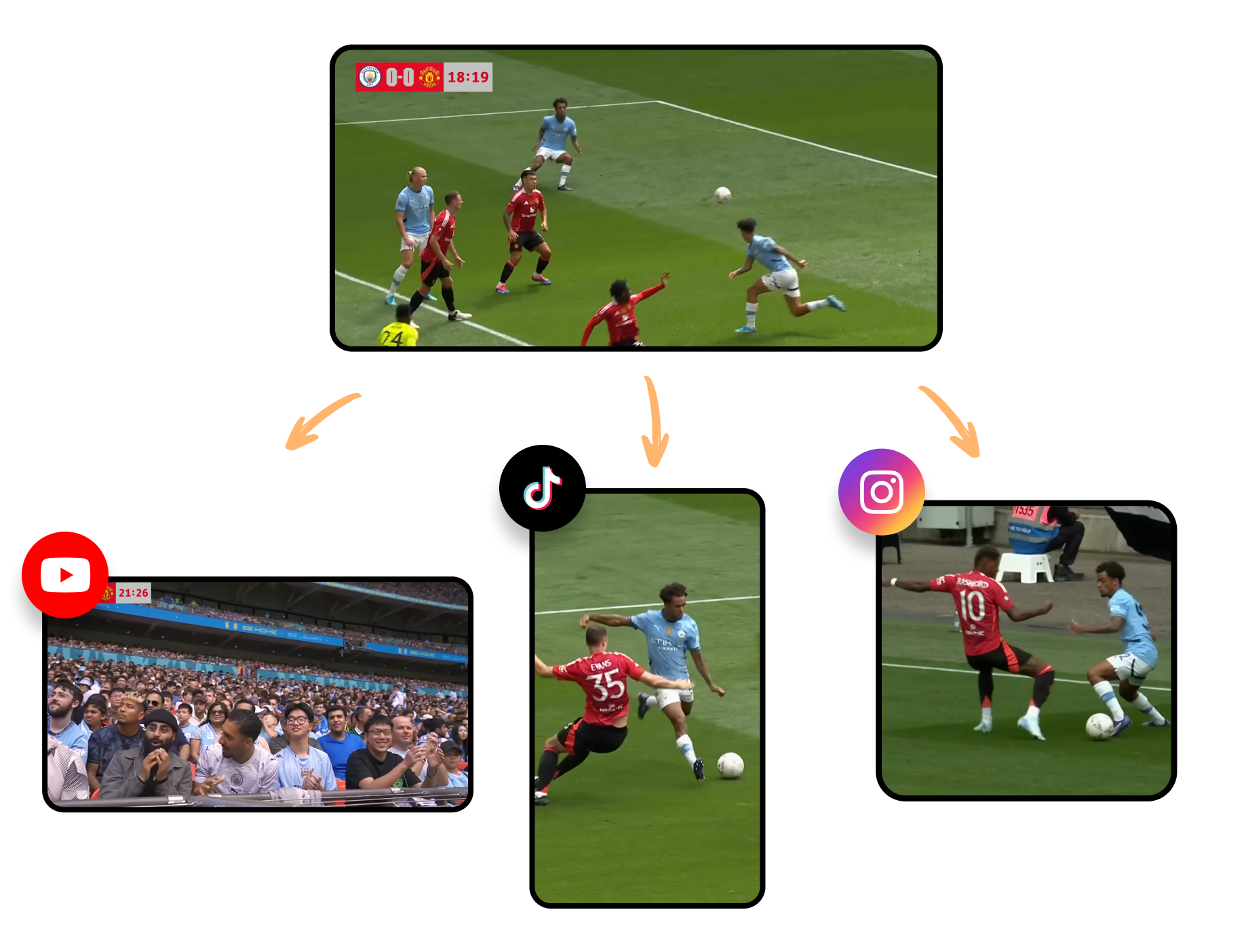
YouTube favors videos in 16:9 aspect ratio with a resolution of at least 1080p. Export your video in MP4 format using the H.264 codec for the best balance between quality and file size.
Keep your video length engaging but not too long—around 3 to 5 minutes usually works well for highlight reels. Also, add clear, descriptive titles and tags to help your content get discovered.
Have you noticed how some videos load faster and look sharper? That’s often because they follow YouTube’s recommended export settings.
Formatting For Social Media
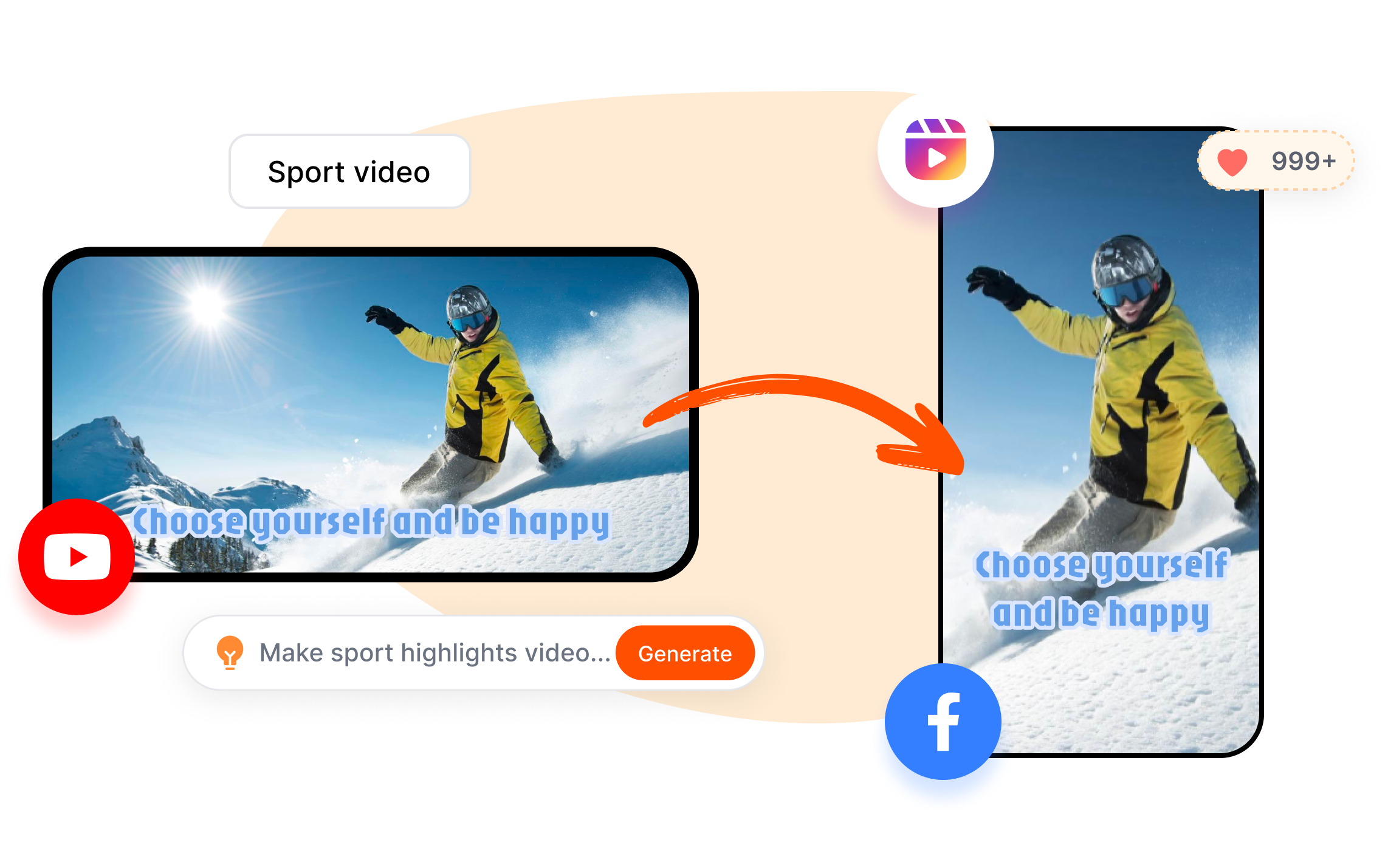
Social media platforms like Instagram, Facebook, and TikTok have different video specs. Square (1:1) and vertical (9:16) formats often perform better on these platforms because they fit mobile screens naturally.
Keep your clips short and punchy—15 to 60 seconds tends to grab attention quickly. Use subtitles or text overlays since many users watch videos without sound.
Consider exporting multiple versions of your video tailored to each platform’s ideal specs. This extra effort can dramatically increase engagement and shares.
Tips For Captivating Audiences
Captivating your audience in a sports highlight video isn’t just about flashy plays or epic moments. It’s about crafting an experience that keeps viewers engaged from start to finish. Focus on clarity and storytelling to make your video memorable and shareable.
Keeping Clips Concise
Short clips hold attention better than long, drawn-out ones. Trim each highlight to its most exciting moment to avoid losing viewers’ interest. Think about the last time you stopped watching a video—was it because it dragged on too long?
Use quick cuts to maintain energy and momentum. Aim for clips that last just a few seconds, enough to show the action without unnecessary build-up. This approach keeps your video dynamic and prevents boredom.
Building Narrative Flow
Your video should tell a story, even if it’s just a few minutes long. Arrange clips in a way that creates a clear beginning, middle, and end. For example, start with warm-up moments or early plays, build up to the most thrilling highlights, and finish with a strong closing play.
Think about how each clip connects to the next. Does the sequence make sense? Does it build excitement? This flow guides your audience through the video naturally and makes the experience more satisfying.

Credit: www.youtube.com
Frequently Asked Questions
What Equipment Do I Need To Make A Sports Highlight Video?
You need a good camera, video editing software, and a tripod. A quality microphone and lighting can improve footage. A computer with enough processing power is essential for smooth editing.
How Long Should A Sports Highlight Video Be?
Keep it between 1 to 3 minutes to maintain viewer interest. Focus on the best moments and avoid filler content. Shorter videos are more engaging and shareable.
Which Software Is Best For Editing Sports Highlight Videos?
Popular options include Adobe Premiere Pro, Final Cut Pro, and DaVinci Resolve. These tools offer advanced features and user-friendly interfaces. Choose based on your skill level and budget.
How Do I Choose Clips For A Sports Highlight Video?
Select key moments that showcase skills, achievements, and exciting plays. Prioritize clear, high-quality footage with good angles. Avoid repetitive or low-energy clips to keep viewers engaged.
Conclusion
Creating a sports highlight video takes planning and care. Choose your best clips to show key moments. Keep the video short and exciting to hold attention. Add music and effects to make it fun but not distracting. Edit carefully to make smooth transitions between scenes.
Share your video with friends or online for feedback. Practice makes better videos over time. Enjoy capturing and showing the best parts of the game!

Similar Posts