How to Set Fitness Goals on Apple Watch: Ultimate Guide to Success
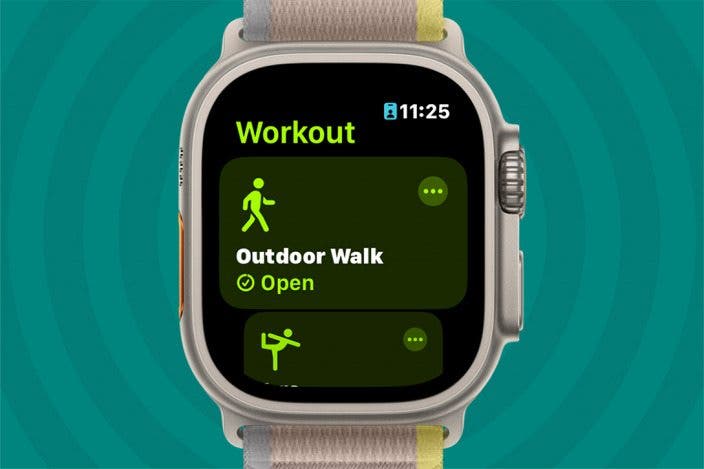
Setting fitness goals on your Apple Watch can be a game changer for your health and motivation. Imagine having a clear target every day, right on your wrist, pushing you to move more, exercise smarter, and feel better.
But how do you create goals that actually stick and keep you motivated? You’ll discover simple, effective steps to set fitness goals on your Apple Watch that fit your lifestyle and help you achieve real results. Ready to take control of your fitness journey?
Keep reading to find out how.
Benefits Of Setting Fitness Goals
Setting fitness goals on your Apple Watch offers several benefits. It helps create clear targets that guide your workouts. Goals keep you focused and push you to improve. They turn vague intentions into concrete achievements. Your Apple Watch makes tracking these goals easy and effective.
Improved Motivation
Fitness goals give you a reason to move daily. Seeing small wins on your watch sparks excitement. It encourages you to keep trying, even on tough days. Goals help you feel proud of your progress. This motivation makes workouts a regular habit.
Tracking Progress
Your Apple Watch records every step and workout. Setting goals lets you see how far you’ve come. You can compare daily, weekly, or monthly results. This clear view helps adjust your efforts for better results. Tracking progress also highlights areas to improve.
Enhanced Accountability
Goals create a sense of responsibility for your fitness. Your watch reminds you to stay on track. Sharing goals with friends adds extra support. Accountability helps reduce skipping workouts. It keeps your commitment strong and consistent.
Credit: www.tomsguide.com
Apple Watch Features For Fitness
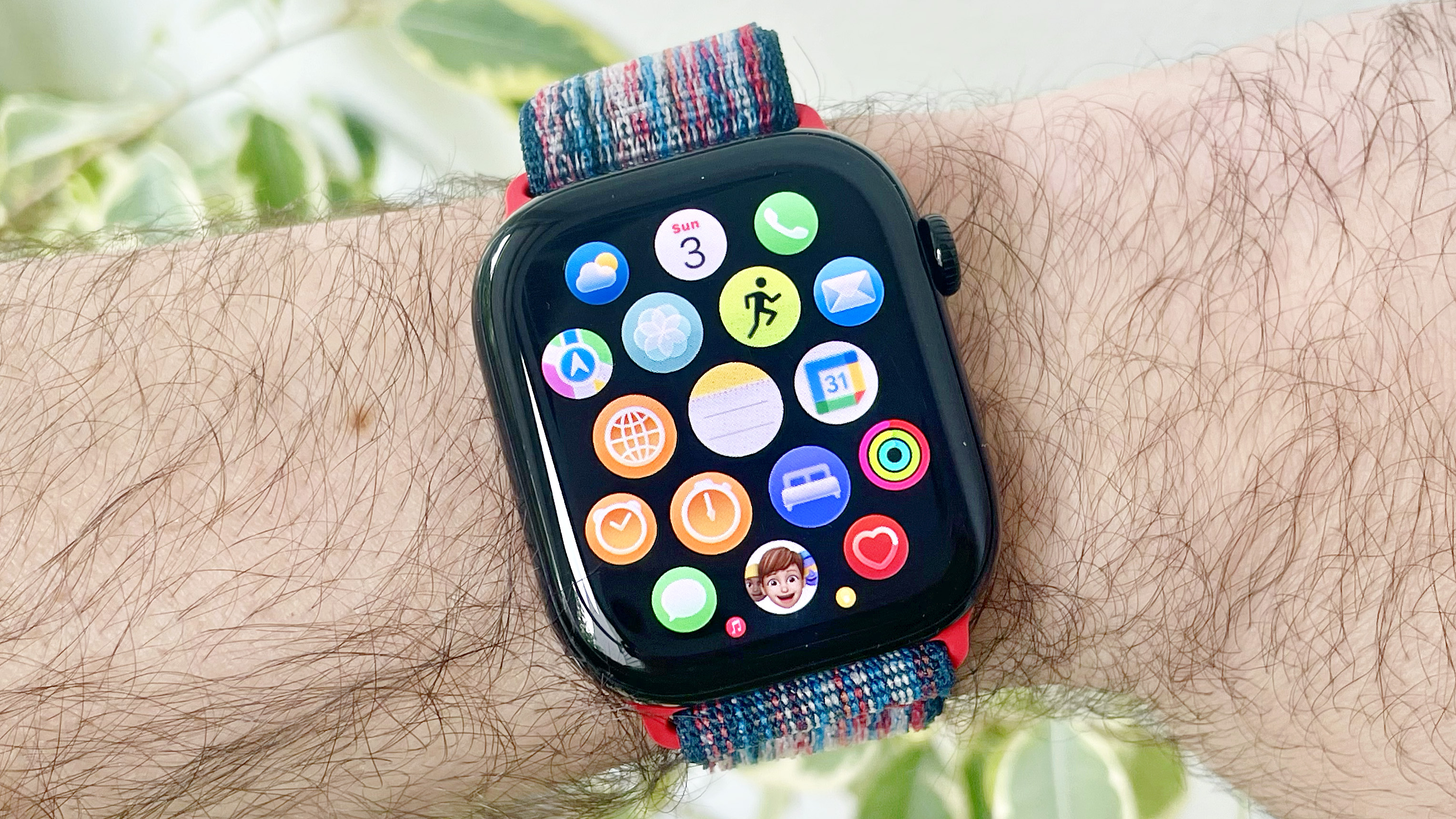
The Apple Watch offers powerful features designed to help you set and achieve your fitness goals. These tools provide real-time feedback and motivation, making it easier to track your progress and stay focused. Understanding how each feature works can help you tailor your fitness journey to fit your lifestyle and needs.
Activity Rings
The Activity Rings give a clear, visual summary of your daily movement. They track three key areas: Move, Exercise, and Stand. Closing these rings each day becomes a simple, rewarding way to push yourself without overcomplicating your goals.
Think about how much more motivating it is to see your progress in color rather than just numbers. You can even adjust your Move goal if you find it too easy or too hard. Have you noticed how a small daily target feels more achievable and encourages consistent effort?
Workout App
The Workout app on your Apple Watch lets you choose from a variety of exercise types, including running, cycling, swimming, and yoga. It tracks essential stats like duration, distance, and calories burned, helping you focus on what matters most for your fitness goals.
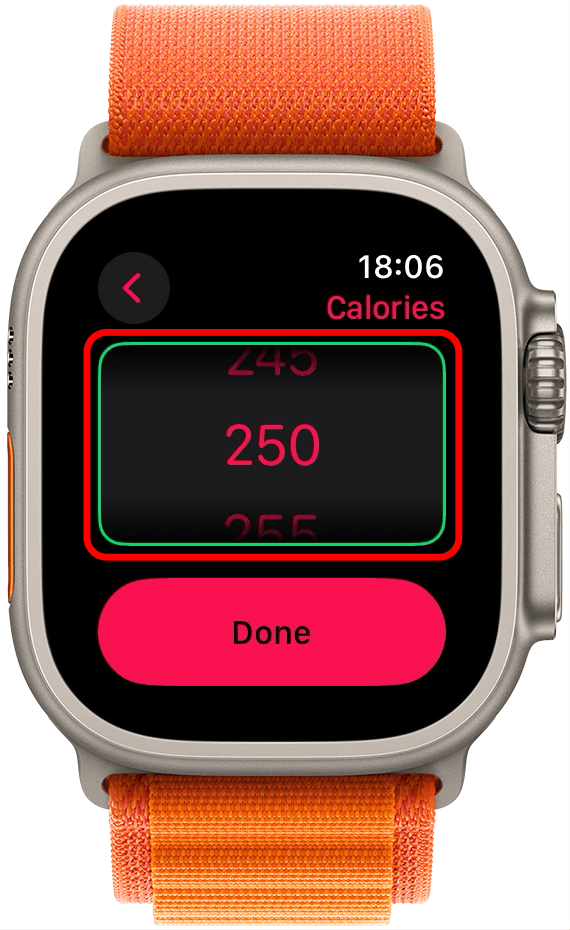
You can set specific targets within the app, like calories to burn or time to exercise, and receive alerts to stay on track. This feature turns abstract goals into measurable actions. How often do you find yourself motivated by real-time feedback during your workout?
Heart Rate Monitoring
Your Apple Watch continuously measures your heart rate, providing insights into your fitness level and recovery. It helps you understand how hard your body is working during different activities and alerts you to unusual heart rates.
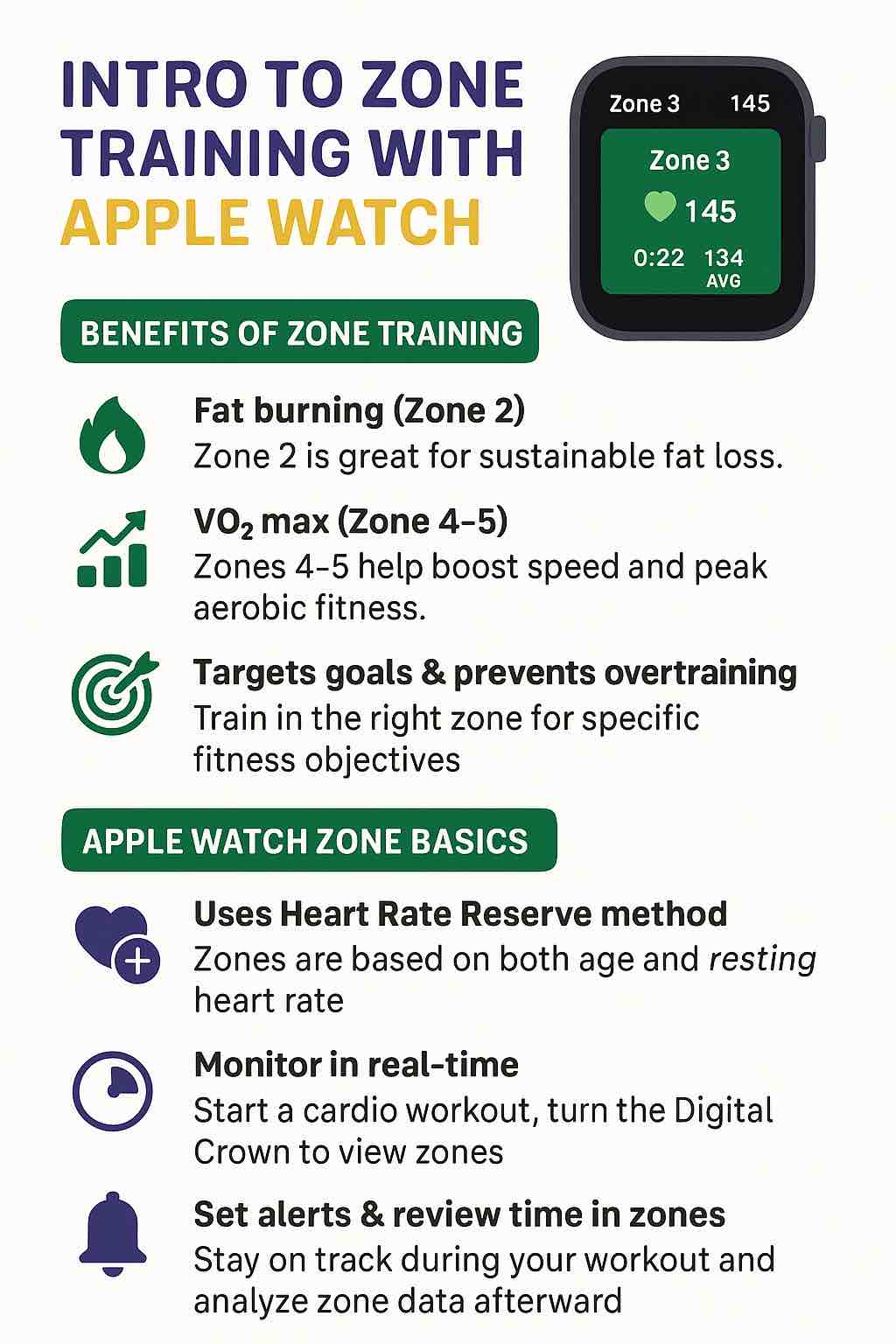
Tracking heart rate zones can optimize your workouts by ensuring you train at the right intensity. Have you ever wondered if you’re pushing too hard or not enough? This feature gives you the data to make smarter decisions about your exercise routine.
Defining Your Fitness Goals
Defining your fitness goals is the first step to using your Apple Watch effectively. Clear goals help you stay focused and motivated. They guide your workouts and track your progress easily. Setting goals that fit your lifestyle increases your chances of success.
Types Of Goals
Apple Watch supports different types of fitness goals. You can choose from activity, exercise, and stand goals. Activity goals track your daily movement and calories burned. Exercise goals focus on minutes of workout. Stand goals remind you to move every hour. Choose goals that match what you want to improve.
Specific And Measurable Objectives
Set goals that are clear and easy to measure. Instead of “get fit,” try “walk 30 minutes daily.” Use numbers to track progress. Your Apple Watch counts steps, calories, and minutes. Specific goals help you see results and stay motivated. Measurable goals make it easy to check success.
Realistic Timeframes
Choose timeframes that fit your schedule and ability. Avoid goals that are too hard or quick. Start with small, achievable targets. Increase goals as you get stronger. Your Apple Watch can show daily, weekly, and monthly progress. Realistic timeframes keep you motivated without stress.
Using Apple Watch To Set Goals
The Apple Watch is a helpful tool to set and track fitness goals. It motivates you to stay active every day. The watch offers features that make goal setting simple and clear. You can adjust your goals based on your progress and needs.
Using the Apple Watch to set goals helps you create a plan that fits your lifestyle. It keeps you focused by showing your activity in real time. Let’s explore how to use the watch’s features to set and reach your fitness goals.
Customizing Activity Rings
The Activity Rings show your daily progress in three areas: Move, Exercise, and Stand. You can change the Move goal to match your calorie target. The Exercise ring tracks minutes of activity, which you can adjust. The Stand ring reminds you to stand for at least one minute each hour.
Customizing these rings lets you set goals that feel right. It helps you aim for achievable targets. You see your progress clearly on your wrist, which keeps you motivated.
Setting Reminders And Alerts
The Apple Watch sends reminders to keep you moving. You get alerts to stand up if you sit too long. It also notifies you when you reach your daily goals. These reminders help build good habits.
You can change the timing and frequency of alerts in the settings. This way, the watch supports your routine without being too much. Staying consistent becomes easier with regular prompts.
Utilizing App Integration
The Apple Watch works with many fitness apps. These apps offer extra tools for goal setting and tracking. Apps like MyFitnessPal or Strava sync with the watch to track workouts and nutrition.
You can view detailed reports and adjust your goals in these apps. Integration adds more options to personalize your fitness journey. Using apps with the watch creates a complete health plan.
Tracking Progress With Apple Watch
Tracking your progress with the Apple Watch can transform the way you approach fitness goals. It provides clear, real-time insights that keep you motivated and help you adjust your routines effectively. Understanding how to use these features can make your fitness journey more precise and rewarding.
Daily And Weekly Summaries
Your Apple Watch offers daily and weekly summaries that give you a snapshot of your activity. These summaries show key metrics like calories burned, steps taken, and minutes exercised. Checking these regularly helps you stay aware of your consistency and spot trends in your activity levels.
Imagine noticing that your activity dips midweek—you can then plan to add short workouts or walks to balance your effort. The summaries also allow you to celebrate small wins, which boosts your motivation to keep going.
Analyzing Heart Rate Data
Heart rate data is a powerful tool for understanding your fitness progress. Your Apple Watch tracks your heart rate throughout the day and during workouts, showing zones like resting, fat burn, and peak effort. This helps you see how hard your body is working and whether you’re pushing yourself enough.
Have you ever wondered if your workout is really effective? By reviewing your heart rate trends, you can adjust intensity to improve endurance or burn more calories. It also alerts you to unusual heart rate patterns that might need attention.
Reviewing Workout Records
Each workout you complete is logged with detailed information on your Apple Watch. You can review duration, distance, pace, and calories burned for every session. This data helps you identify what types of workouts yield the best results and which ones you enjoy the most.
Tracking your workout history encourages you to set realistic goals and beat your personal bests. It’s also a reminder of your progress on days when motivation feels low—seeing how far you’ve come can spark renewed commitment.
Credit: www.iphonelife.com
Staying Motivated And Adjusting Goals
Keeping your fitness journey exciting and effective means staying motivated and knowing when to adjust your goals. Your Apple Watch tracks your progress, but it’s your mindset and actions that push you forward. Let’s explore how celebrating wins, adapting to life changes, and sharing your journey with friends can keep your fitness goals alive and growing.
Celebrating Milestones
Every achievement, no matter how small, deserves recognition. When your Apple Watch notifies you of hitting a step count or closing your Activity rings, take a moment to appreciate your effort.
Try setting mini-goals within your main target. For example, if your goal is to run 5K, celebrate when you hit 1K or improve your pace. These little wins build confidence and keep you engaged.
Ask yourself: How do I feel after reaching a milestone? Use that positive energy to fuel your next workout.
Adapting To Changes
Life isn’t static, and neither should your fitness goals be. If you’re recovering from an injury or facing a busy schedule, adjust your targets to fit your current situation.
Your Apple Watch allows you to modify goals easily. Lowering your daily move goal or switching from running to walking can keep you active without burnout.
Think about how flexible your approach is. Are your goals realistic considering your lifestyle right now? Adjusting doesn’t mean failing—it means being smart.
Connecting With Friends
Sharing your progress with friends adds a layer of accountability and fun. Use the Apple Watch’s social features to compete or cheer each other on.
Friendly challenges, like closing Activity rings or hitting step goals, can make workouts feel less like a chore and more like a game. Plus, celebrating others’ successes motivates you to keep going.
Who in your circle could inspire you or be inspired by your journey? Reach out and turn fitness into a shared experience.
Tips For Achieving Success
Setting fitness goals on your Apple Watch is just the beginning. Success depends on how you approach those goals daily. Small habits build strong results. Focus and steady effort make a big difference over time. Here are key tips to keep you moving forward and motivated.
Consistency Is Key
Try to use your Apple Watch every day. Track your activity, workouts, and stand goals without skipping. Regular checks help you notice progress and stay on track. Even short bursts of exercise add up. Make fitness part of your daily routine.
Focus On Incremental Improvements
Set small, clear goals that you can reach step by step. Increase your move goal or workout minutes gradually. Celebrate each win, no matter how small. These little changes keep you motivated and avoid burnout. Progress is progress, even if it feels slow.
Seeking Support And Resources
Use the Apple Watch app community and challenges for motivation. Share your progress with friends or family for support. Look for online tutorials or fitness guides that match your goals. Resources and encouragement make the journey easier and more fun.
Credit: masalamonk.com
Frequently Asked Questions
How Do I Set Fitness Goals On My Apple Watch?
Open the Activity app on your Apple Watch. Tap “Set Goals,” then customize Move, Exercise, and Stand targets. Confirm to save your personalized fitness goals.
Can Apple Watch Track Different Workout Types?
Yes, Apple Watch supports various workouts like running, cycling, swimming, and yoga. You can select your workout type to get accurate activity tracking and tailored metrics.
How Often Should I Update My Apple Watch Goals?
Update your fitness goals monthly or when your fitness level changes. Regular updates help keep your goals realistic and motivating for better progress.
What Metrics Does Apple Watch Use For Fitness Goals?
Apple Watch uses Move calories, Exercise minutes, and Stand hours. These metrics track your daily activity, exercise intensity, and time spent standing.
Conclusion
Setting fitness goals on your Apple Watch helps you stay focused and motivated. Track your progress daily to see small improvements. Adjust your goals as you get stronger or more active. Remember, consistency matters more than perfection. Use the watch’s features to remind and encourage you.
Celebrate each achievement, no matter the size. This simple habit can improve your health step by step. Keep it fun and easy, and you will enjoy your fitness journey.

Similar Posts