

Are you ready to dive into the fun world of Wii Sports? Whether you’re new to the game or just want to sharpen your skills, this guide will help you get started quickly and easily.
Imagine holding your Wii remote and feeling like you’re actually playing tennis, bowling, or boxing right in your living room. You’ll learn simple tips and tricks that make every move count, so you can impress your friends and family. Keep reading, and soon you’ll be mastering Wii Sports like a pro!
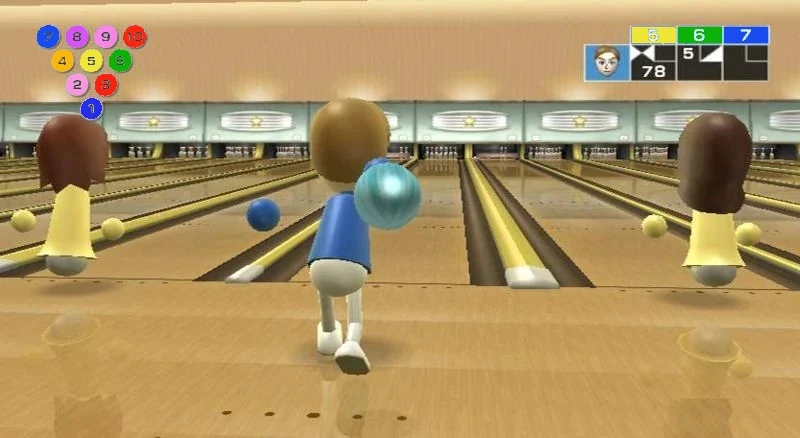
Credit: wiikipedia.fandom.com
Getting Started With Wii Sports
Getting started with Wii Sports is easier than you might think. Whether you’re a seasoned gamer or new to the console, the setup process is straightforward and user-friendly. Let’s walk through the basics so you can jump right into the fun.
Setting Up Your Wii Console
First, place your Wii console near your TV where you have enough space to move around comfortably. Connect the power adapter to the console and plug it into an electrical outlet. Next, use the AV cable to link your Wii to your TV—make sure the cables are securely connected to the right ports.
Turn on your TV and switch it to the correct input channel. You’ll see the Wii’s startup screen shortly after powering on the console. If this step feels tricky, remember that the Wii’s setup wizard guides you through screen calibration and internet connection to optimize your experience.
Connecting The Wii Remote
The Wii Remote is your main controller for all the exciting Wii Sports games. To connect it, open the battery cover on the back of the remote and press the red sync button. Then, press the red sync button inside the Wii console’s SD card slot.
Once paired, you can customize your remote with a wrist strap for safety during active gameplay. Have you ever accidentally thrown a controller in the heat of a game? The wrist strap helps avoid that and keeps your gear intact.
Navigating The Main Menu
After setup, the Wii Menu appears on your screen, showcasing all your games and channels. Use the Wii Remote’s pointer to select the Wii Sports disc icon and press the A button to start.
The menu is simple and intuitive, making it easy to switch between games or access settings. Don’t hesitate to explore the options—adjusting settings like volume and screen calibration can greatly improve your playtime.
Mastering The Controls
Getting comfortable with the Wii Sports controls is key to enjoying the games fully. The Wii Remote uses motion sensing to mimic real-life actions. Practicing these controls helps improve your gameplay and makes the experience more fun. Start simple, then explore more precise movements. Small adjustments can lead to better results.
Basic Wii Remote Movements
The Wii Remote responds to swinging, pointing, and tilting. Swing your arm for actions like swinging a tennis racket or bowling a ball. Point the remote at the screen to aim or select. Tilt it slightly to add effects, such as spin in bowling.
- Swing forward for hitting or throwing
- Point to target objects or opponents
- Tilt to add curve or spin
- Press buttons for menu navigation and special moves
Using Motion Controls Effectively
Motion controls need smooth and controlled movements. Avoid sudden jerks or overextending your arm. Practice slow swings to find the right speed. Watch your on-screen avatar closely to match your motion with the game’s response. Timing is crucial for success in sports like baseball or golf.
- Keep your wrist steady during swings
- Follow through your motion for better accuracy
- Adjust your speed to fit the sport
- Use gentle tilts for subtle effects
Calibrating Your Remote
Calibration ensures the Wii Remote senses your movements correctly. Start calibration before playing. Hold the remote steady and follow on-screen instructions. This step helps fix any drifting or lag. Recalibrate if the controls feel off or unresponsive.
- Press the Home button to open settings
- Select Calibration option
- Follow prompts to hold the remote still
- Test movement after calibration
Exploring Each Sport
Wii Sports offers a fun way to enjoy five different sports using motion controls. Each sport has unique moves and skills to learn. Understanding these helps players enjoy the game more and play better.
Explore the key tips and techniques for each sport below. These simple guides will help you play confidently and have more fun.
Tennis Tips And Tricks
- Hold the Wii Remote firmly for better control.
- Swing the remote as if hitting a real tennis ball.
- Move side to side to reach the ball quickly.
- Use a quick flick for a fast serve.
- Try to time your swing with the ball’s position.
Bowling Strategies
- Use a smooth, straight motion to roll the ball.
- Aim for the center pins to increase strike chances.
- Adjust your angle to curve the ball around obstacles.
- Keep your wrist steady during the throw.
- Practice different speeds to find your best throw.
Boxing Techniques
- Hold the Wii Remote and Nunchuk like fists.
- Throw punches by moving your arms quickly forward.
- Duck and dodge by moving the controller down or sideways.
- Keep your guard up to block opponent punches.
- Mix punches with quick jabs and strong hooks.
Golf Swing Guide
- Hold the Wii Remote like a golf club.
- Pull the remote back slowly to prepare your swing.
- Swing forward smoothly to hit the ball.
- Adjust your swing speed for distance control.
- Use the pointer to aim before swinging.
Baseball Basics
- Hold the Wii Remote like a bat.
- Watch the ball’s speed and direction carefully.
- Swing the remote forward to hit the ball.
- Time your swing to connect with the ball.
- Move the remote up or down to change swing height.
Improving Your Gameplay
Improving your gameplay in Wii Sports is all about refining your skills and understanding the nuances of each sport. It takes more than just playing casually—you need to focus on specific techniques and keep track of how you’re progressing. By doing this, you’ll notice real improvements and enjoy the game even more.
Practice Modes And Challenges
Each Wii Sports game offers practice modes designed to help you sharpen your skills. Use these modes to focus on individual moves without the pressure of competition. For instance, in Wii Tennis, practice your swings to improve accuracy and timing.
Challenges add an extra layer of excitement and push you to improve. They test your ability to adapt and react quickly. Have you tried completing the bowling challenge where you aim for a perfect score? It’s a great way to build consistency.
Tracking Your Progress
Keeping track of your scores and achievements helps you see where you’re improving and where you need more work. Use the game’s built-in stats to monitor your performance over time. You might be surprised how much better you get after just a few sessions.
Try writing down your scores or taking screenshots to compare your gameplay week by week. This makes your progress visible and motivates you to keep going. How often do you check your stats to set new goals?
Common Mistakes To Avoid
Many players rush their movements, which reduces accuracy. Slow down and focus on controlled, deliberate motions. This will help you hit the ball or swing the bat more precisely.
Avoid holding the Wii Remote too tightly; it should feel comfortable in your hand to allow fluid movement. Also, don’t ignore your stance—positioning your body correctly can make a big difference in balance and power.
Have you noticed any habits that hold you back during gameplay? Identifying and correcting these can be the key to better scores and more fun.
Playing With Friends And Family
Playing Wii Sports with friends and family turns simple gameplay into memorable moments. It’s not just about competing; it’s about sharing laughs, cheering each other on, and creating a fun atmosphere. You’ll find that the game shines brightest when you’re all in the same room, passing controllers and reacting to every swing and throw.
Setting Up Multiplayer Matches
Start by connecting enough Wii Remotes for everyone who wants to join. The game supports up to four players in most sports, so gather your group accordingly. Select the multiplayer option from the main menu, then choose your sport and match type.
Make sure each player selects their Mii to personalize the experience. This simple step adds a fun touch and helps keep track of scores. Before starting, decide if you want to play single matches or a tournament style for longer play sessions.
Team Play Strategies
Playing in teams changes the dynamic completely. Communication becomes key—you’ll want to talk about who covers what area or who takes the lead in certain shots. In bowling, for example, alternate turns but encourage teammates to share tips on aiming and spin.
Try assigning roles based on each player’s strengths. Maybe someone is great at tennis serves, while another excels at quick reactions in boxing. These small strategies make the game more engaging and improve your chances of winning as a team.
Fun Variations And Mini-games
To keep things lively, introduce mini-games or set unique challenges within the main sports. Challenge your family to a “no-spin bowling” round or see who can score the fastest goal in soccer. These twists add excitement and test different skills.
Switching sports between rounds keeps everyone energized and prevents the game from feeling repetitive. Have you tried a mixed-sport relay where each player completes a different sport before tagging the next? It’s a blast and keeps everyone involved.
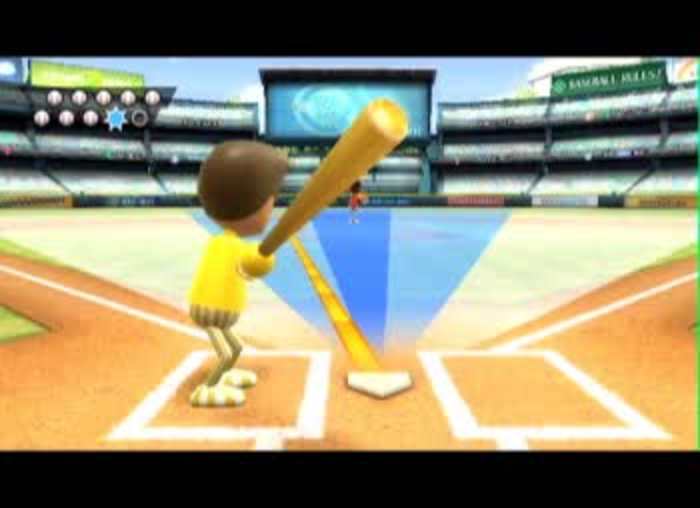
Credit: www.nintendo.com
Troubleshooting Common Issues
Running into issues while playing Wii Sports can be frustrating, especially when you just want to enjoy the game. Fortunately, many common problems have simple fixes that can get you back in the game quickly. Let’s look at how you can troubleshoot some of the most frequent issues related to connection, sensor bar, and Wii Remote.
Fixing Connection Problems
Connection problems often happen when your Wii Remote isn’t syncing properly with the console. Start by turning off your Wii and removing the batteries from the remote. Wait for about 10 seconds before reinserting the batteries and turning the Wii back on.
Press the red sync button inside the battery compartment on the Wii Remote, then quickly press the red sync button on the Wii console. You should see the player lights on the remote blink and then stabilize, indicating a successful connection.
If syncing still fails, check if there are other wireless devices nearby causing interference. Moving away from routers, cordless phones, or microwaves can help improve the connection.
Dealing With Sensor Bar Issues
The sensor bar is essential for accurate motion tracking in Wii Sports. If your pointer isn’t moving smoothly or disappears, first make sure the sensor bar is securely placed either above or below your TV screen.
Clean the sensor bar gently with a soft cloth to remove any dust or dirt that might block the infrared lights. Also, check that the sensor bar is plugged into the correct port on the Wii console and that the cable isn’t damaged.
Try adjusting the sensor bar sensitivity in the Wii settings menu. Sometimes, changing the sensor bar position or lighting conditions in your room can dramatically improve performance.
Resetting The Wii Remote
If your Wii Remote behaves erratically, resetting it can clear glitches. Remove the batteries and press every button on the remote once to discharge any residual power. Reinsert the batteries and sync the remote again with the console.
You can also try pressing the small reset button located inside the battery compartment with a thin object like a paperclip. This can help resolve deeper software issues on the remote.
Has your Wii Remote ever stopped responding mid-game? Resetting has often been my go-to fix, restoring control without needing a new device.

Credit: tvtropes.org
Frequently Asked Questions
What Are The Basics Of Wii Sports Gameplay?
Wii Sports involves using motion controls to simulate real-life sports. Players swing, bowl, and pitch using the Wii Remote. Each game is designed to be intuitive, allowing players of all ages to enjoy. Simply follow on-screen instructions to engage in sports like tennis, baseball, and bowling.
How Can I Improve My Wii Sports Skills?
Improving your Wii Sports skills requires practice and patience. Focus on mastering the timing and motion of each sport. Regular play helps familiarize you with controls. Watching tutorials can offer useful tips. Experiment with different techniques to find what works best for you.
What Equipment Is Needed For Wii Sports?
To play Wii Sports, you’ll need a Wii console and a Wii Remote. Some sports may require the Nunchuk controller. Make sure your Wii Remote has batteries and is synced with the console. Having a wrist strap is recommended to prevent accidental drops during gameplay.
Can Wii Sports Be Played With Friends?
Yes, Wii Sports is designed for multiplayer fun. Up to four players can compete in various sports. Simply select multiplayer mode and connect additional Wii Remotes. Playing with friends adds excitement and competition. It’s a great way to enjoy sports together without leaving your home.
Conclusion
Playing Wii Sports brings fun and exercise together. The controls are simple to learn and use. You can enjoy many sports like tennis, bowling, and boxing. Playing with friends or family adds to the excitement. Practice a little each day to improve your skills.
Wii Sports offers hours of active entertainment for everyone. Try different games to find your favorite. Remember, the goal is to have fun and stay active. Give it a try and enjoy the experience!


