How to Cancel Planet Fitness Black Card: Easy Step-by-Step Guide
Are you thinking about canceling your Planet Fitness Black Card membership but don’t know where to start? You’re not alone.
Many people find the cancellation process confusing or frustrating. But it doesn’t have to be that way. You’ll discover simple, step-by-step instructions to cancel your membership quickly and without stress. Keep reading, and you’ll save time, avoid common mistakes, and take control of your gym membership with confidence.
Reasons To Cancel Your Black Card
Deciding to cancel your Planet Fitness Black Card membership can feel like a big step. There are many reasons why you might want to make this change, and understanding them helps you make the best choice for your fitness journey. Whether it’s cost, usage, or personal goals, knowing the reasons behind cancellation can give you clarity and confidence.
Cost Concerns And Budget Adjustments
Sometimes, the Black Card fee might not fit comfortably within your monthly budget. You may find that you’re not using the extra perks enough to justify the higher price. Have you ever looked at your bank statement and questioned whether the membership is worth the expense?
Cutting back on unnecessary costs is a smart move, especially if you can still stay active without the Black Card benefits.
Limited Use Of Black Card Perks
You might not be taking advantage of the Black Card features like guest privileges, tanning, or massage chairs. If these extras don’t match your workout style, the extra cost may not be worthwhile. Ask yourself if you’re truly benefiting from these perks or just paying for them.
Skipping the Black Card and sticking with a standard membership could save money without impacting your workout experience.
Change In Workout Routine Or Location
Life changes like moving to a new city or switching gyms can make the Black Card unnecessary. The convenience of multiple locations may no longer be relevant if your routine shifts. How often do you really use the access to all Planet Fitness clubs nationwide?
If your current gym suits your needs better, canceling the Black Card is a practical choice.
Seeking A Different Fitness Experience
Your fitness goals might have evolved, prompting you to explore other types of workouts or facilities. Maybe you want classes, personal training, or specialized equipment that Planet Fitness doesn’t offer. Have you found a gym that better aligns with your fitness ambitions?
Adjusting your membership to fit your new goals can keep your motivation high and your routine fresh.

Credit: www.tenereteam.com
Preparation Before Cancellation
Before you cancel your Planet Fitness Black Card membership, taking a moment to prepare can save you time and avoid unnecessary fees. Proper preparation means understanding the details of your contract and having all your information at hand. This approach helps you handle the cancellation process smoothly and confidently.
Review Terms And Conditions
Start by carefully reading your membership agreement. Look for cancellation policies, notice periods, and any penalties that might apply. Some memberships require a 30-day notice or a written request, so knowing this upfront prevents surprises.
Check if there’s a minimum membership duration you agreed to. If you cancel too early, you might owe fees. Understanding these rules helps you decide the best time to cancel or if you should negotiate with the gym.
Gather Necessary Information
Before reaching out to Planet Fitness, collect all your membership details. This includes your membership ID, payment method, and the email or address linked to your account. Having this ready speeds up the process and reduces back-and-forth.
Also, prepare any written communication you might need, like a cancellation letter or email. Keep notes of your phone calls or in-person visits, including dates and the names of staff you speak with. These records can protect you if any issues arise later.
Online Cancellation Process
The online cancellation process for Planet Fitness Black Card is quick and simple. It saves time and avoids phone calls or visits. You can manage your membership from anywhere using your device. Follow clear steps to cancel without hassle.
Accessing Your Account
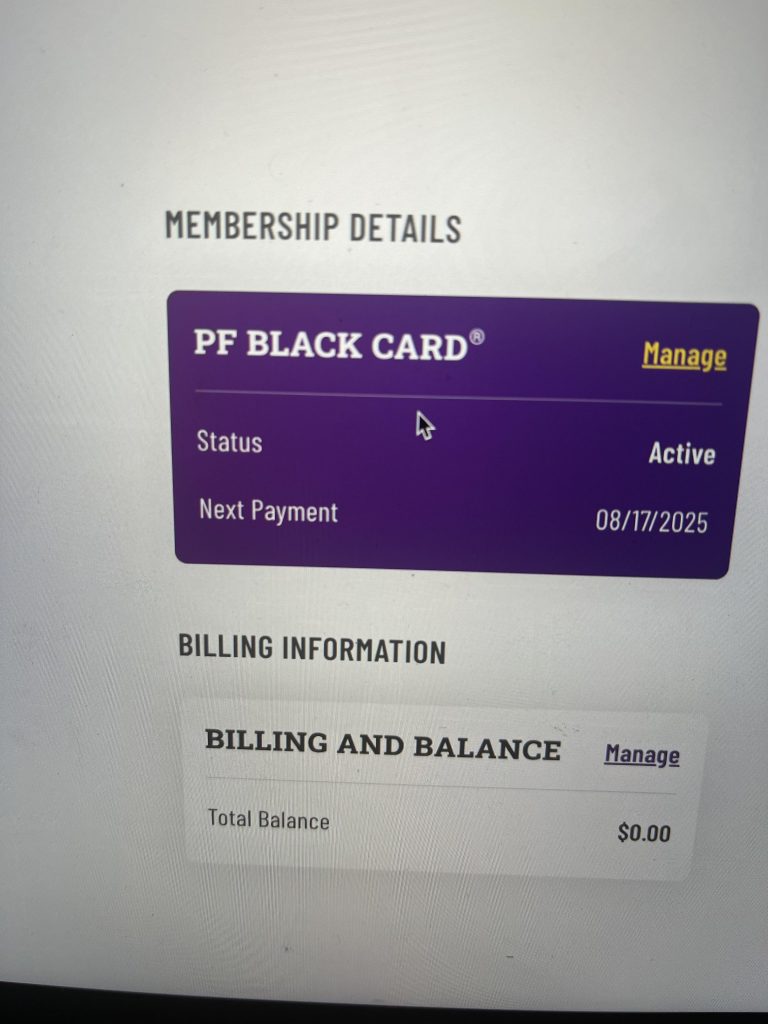
Start by visiting the official Planet Fitness website. Click on the login button at the top right corner. Enter your username and password carefully. If you forgot your password, use the reset option. After logging in, you will see your dashboard with all membership details.
Navigating To The Cancellation Option
Look for the membership or account settings tab in your dashboard. Click on it to open membership options. Scroll down until you find the cancellation link or button. The site may ask for a reason for cancellation—choose the closest match. Confirm your choice by clicking the final cancel button. You will receive an email confirming your cancellation soon after.
In-person Cancellation
Cancelling your Planet Fitness Black Card membership in person can be a straightforward process if you know what to expect. It gives you a chance to speak directly with staff and clarify any concerns on the spot. This approach works best if you prefer face-to-face communication and want immediate confirmation.
Visiting Your Local Planet Fitness
Start by locating the Planet Fitness gym where you signed up or currently attend. Make sure to check their operating hours before heading over. Walking in during off-peak times can help you avoid long waits and get quicker service.
When you arrive, bring a valid photo ID and your membership card if you have it. These will help staff verify your account quickly. You might also want to carry any recent billing statements or emails related to your membership for reference.
Speaking With A Representative
Once inside, approach the front desk and let the representative know you want to cancel your Black Card membership. They will likely ask you some questions to confirm your identity and reason for cancellation.
Be clear and direct about your decision to cancel, and ask if there are any cancellation fees or notice periods. Sometimes, you may need to fill out a cancellation form or provide a written request. Don’t hesitate to ask for a receipt or confirmation number to keep for your records.
Have you ever experienced hidden fees when cancelling a service? Asking upfront can save you surprises later. Speaking face-to-face also allows you to discuss alternatives, such as freezing your membership if you’re unsure about cancelling completely.
Cancellation Via Mail
Cancelling your Planet Fitness Black Card membership through mail is a straightforward process. This method ensures you have a written record of your cancellation request. It requires a formal letter stating your intent to cancel. Sending the letter by mail also provides proof of delivery.
Writing A Cancellation Letter
Start with your full name and membership number at the top. Include your current address and phone number. Clearly state that you want to cancel your Planet Fitness Black Card membership. Mention the date you want the cancellation to take effect. Keep the tone polite and direct. Request confirmation of your cancellation in writing. Sign the letter at the bottom to make it official.
Sending The Letter
Send the cancellation letter to your local Planet Fitness gym or the corporate office. Use certified mail or another service with tracking. This step helps confirm the letter arrives safely. Keep a copy of the letter and the mailing receipt for your records. Follow up if you do not receive confirmation within two weeks.

Credit: www.facebook.com
Handling Post-cancellation Matters
Handling post-cancellation matters is crucial after ending your Planet Fitness Black Card membership. It ensures no unexpected charges appear and confirms your membership ends properly. Taking a few simple steps can save money and avoid confusion later.
Confirming Cancellation
Check that Planet Fitness has processed your cancellation. Request a written confirmation by email or mail. Keep this proof safe in case of disputes. Verify your account status through the Planet Fitness website or app. Confirm that no active membership fees remain.
Avoiding Future Charges
Monitor your bank or credit card statements for any Planet Fitness fees. Cancel any automatic payments linked to the Black Card membership. Contact your bank if you notice unexpected withdrawals. Update your payment method settings to block future charges. Stay alert for billing errors to prevent unwanted costs.
Alternatives To Cancelling
Deciding to cancel your Planet Fitness Black Card membership is a big step. Sometimes, pausing or adjusting your plan fits better. These options can save money and keep your benefits active. Consider these choices before fully cancelling.
Pausing Your Membership
Pausing your membership lets you take a break without losing your account. You keep your membership but stop paying monthly fees for a time. Planet Fitness usually allows pauses for a few months. Use this if you travel or face short-term issues. Contact your local club to request a pause. Keep in mind, some fees may apply during the pause.
Downgrading To A Basic Membership
Switching to a basic membership reduces your monthly fee. You lose some Black Card perks but keep gym access. Basic membership still offers many workout options. This choice suits those who want to save money but stay active. Speak to Planet Fitness staff to change your plan. It’s a simple way to keep your membership affordable.

Credit: www.reddit.com
Frequently Asked Questions
How Do I Cancel My Planet Fitness Black Card Membership?
To cancel, visit your local Planet Fitness club and submit a written cancellation request. Some locations may allow cancellation by certified mail. Always check the specific gym’s policy for exact steps.
Is There A Fee To Cancel Planet Fitness Black Card?
Generally, Planet Fitness does not charge a cancellation fee after the initial commitment period. However, canceling before the contract ends may incur fees. Verify your membership agreement for details.
Can I Cancel Planet Fitness Black Card Membership Online?
Planet Fitness usually requires in-person cancellation or certified mail. Online cancellations are rarely accepted. Contact your local club for confirmation and available cancellation methods.
How Long Does Planet Fitness Take To Process Cancellation?
Cancellation processing typically takes 30 days from the receipt of your request. Your billing will stop after this period. Keep a copy of your cancellation confirmation for records.
Conclusion
Canceling your Planet Fitness Black Card is simple and quick. Just follow the steps clearly. Call or visit your gym to start the process. Keep track of any cancellation policies or fees. Acting early can save you from extra charges.
Always ask for confirmation to avoid confusion. Staying informed helps you make the best choice. Now, you can end your membership without stress or hassle.